You’ve set up your LLP. Your development team is ready. You want to publish your app on the Apple App Store under your business name.
Then Apple asks for a D-U-N-S® Number.
And you wonder — is this really necessary for an LLP? Can we apply without it? Is there any workaround?
We get this question a lot at DNBIndia. And we always give the same honest answer.
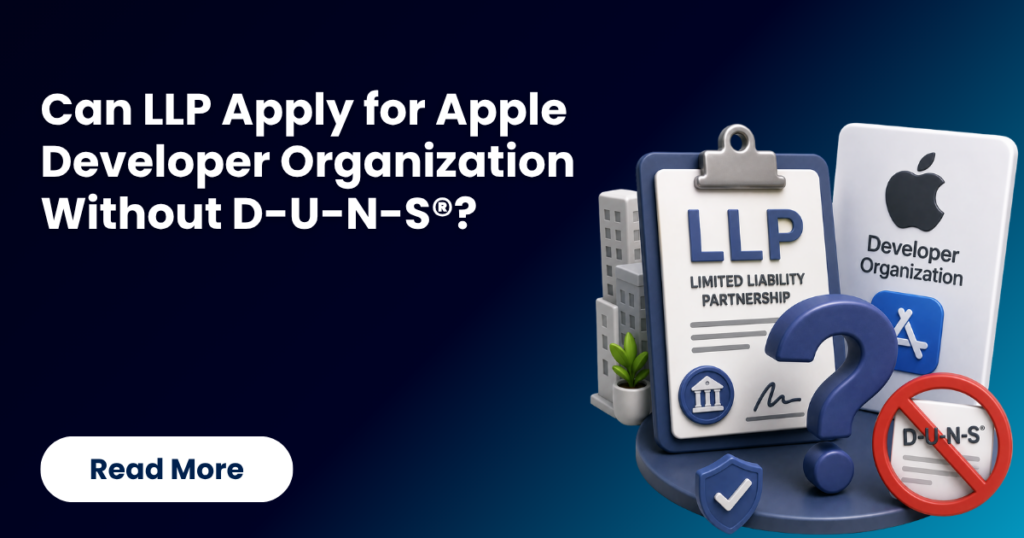
No. An LLP cannot apply for an Apple Developer Organisation account without a D-U-N-S® Number.
But don’t worry. We’re here to make that process fast, simple, and affordable. Let’s explain everything clearly.
What Is an Apple Developer Organisation Account?
Apple offers two types of developer accounts:
Individual Account: For solo developers publishing under a personal name. No D-U-N-S® Number required.
Organisation Account: For businesses, companies, LLPs, and registered entities. D-U-N-S® Number is mandatory — no exceptions.
An LLP is a registered legal business entity. In Apple’s eyes, you are an organisation. Not an individual.
That means the D-U-N-S® Number isn’t optional for you. It’s a hard requirement.
Why Apple Specifically Requires a D-U-N-S® Number for LLPs
Apple doesn’t just want to know your business name. They want verified proof that your LLP legally exists.
Here’s what Apple checks using your D-U-N-S® Number:
- Legal entity name: must match LLP deed and MCA records exactly
- Registered office address: must match your LLP registration address
- Entity type: must correctly show “Limited Liability Partnership.”
- Operational status: your LLP must be active and in good standing
- Business activity: what your LLP officially does
Apple cross-checks all of this directly against D&B’s global database. If even one detail doesn’t match, your application fails.
This is why getting the D-U-N-S® Number right matters as much as getting it fast.
Can an LLP Use an Individual Account Instead?
Technically — yes. But it creates serious problems.
Your app will show under a personal name: not your LLP brand. This reduces professional credibility significantly.
You cannot add team members: Individual accounts don’t support team management. Your LLP’s developers and designers can’t be added.
Clients won’t trust it: Enterprise clients expect business-branded apps. A personal name on the App Store raises red flags.
Legal complications: Apps built under LLP contracts should be published under the LLP name. A personal account creates IP ownership complications.
Scaling becomes impossible: As your LLP grows, you’ll eventually need an organisation account anyway. Starting wrong means switching later — which is a painful process.
Our consultants always recommend getting this right from the beginning. The cost and effort of doing it wrong far outweigh the small delay in getting a D-U-N-S® Number.
What Documents Does an LLP Need for D-U-N-S® Registration?
Before we begin our consultation, keep these ready:
- LLP PAN Card
- LLP Agreement (registered copy)
- Certificate of Incorporation of LLP (from MCA)
- GST Registration Certificate
- Registered Office Address Proof
- Designated Partner details (name, DIN, contact)
- Domain-based business email (not Gmail or personal email)
Our team reviews every single document before we proceed. LLP-specific details — like the correct entity name format and address — are especially critical for Apple applications.
We ensure zero errors before submission.
Step-by-Step — How We Help Your LLP Receive a D-U-N-S® Number
Step 1: Connect With Our Consultants
Reach out via call, WhatsApp, or email. We respond immediately. Tell us about your LLP and your Apple Developer requirement.
We understand your specific situation first. Then we define the exact path forward.
Step 2: Check for Existing D-U-N-S® Number
Many LLPs already have a D-U-N-S® Number — created by a client, vendor, or partner. We check this before starting anything new.
If one exists — we help you claim and update it. This saves significant time.
Step 3: LLP Document Review
We collect and review all your LLP documents carefully. The entity name on your D&B profile must match your LLP deed and MCA records exactly.
Apple is extremely strict about this. We make sure everything is perfectly aligned before submission.
Step 4: Precise Application Filing
We file your application with complete accuracy:
- LLP’s exact legal name (as per MCA registration)
- Registered office address (as per LLP deed)
- Entity type: Limited Liability Partnership
- Year of incorporation
- Number of partners/employees
- Primary business activity
Every field is filled with verified data. No guesswork. No approximations.
Step 5: Submission and Active Tracking
We submit the application and track it actively. We follow up at every stage. You receive updates without having to chase anyone.
Step 6: D-U-N-S® Number Delivered
Your number is issued. We share it with you immediately. Most LLP clients receive their number within 24 hours of starting the consultation.
Step 7: Apple Profile Alignment Check
This is where we go beyond what most consultants offer.
After your D-U-N-S® Number is issued, we verify that your D&B profile details exactly match what Apple expects. Name format, address, entity type — all cross-checked.
This prevents rejection during Apple’s final verification. It also protects your Apple Developer membership renewal every year.
Common LLP-Specific Mistakes We Prevent
LLPs face unique challenges in the D-U-N-S® process. Here are mistakes we see regularly:
- Wrong entity name format: “ABC LLP” vs “ABC Limited Liability Partnership” — Apple checks the exact legal format.
- Address mismatch: LLP registered address differs from operational office. Always use the MCA-registered address.
- Using personal email: Apple requires a domain-based email matching your LLP. Not a personal Gmail account.
- LLP Agreement details don’t match COI: Minor discrepancies between the LLP deed and the Certificate of Incorporation cause verification failure.
- No GST registration: Some newer LLPs haven’t registered for GST yet. We advise on alternative documentation in such cases.
Our consultants have navigated all of these. We prevent them from happening to you.
Why Apple Re-Verifies Every Year — And Why It Matters for LLPs
Apple Developer membership costs ₹8,999 per year. Every year, Apple re-verifies your D&B profile.
If your LLP changes its address, adds a new partner, or updates its business activity, your D&B profile must reflect this. An outdated profile fails Apple’s annual check.
Your Developer account gets suspended. Your apps may be removed. Your clients are impacted.
Our post-issuance support ensures your D&B profile stays current. We proactively review it before your Apple renewal each year.
How DNBIndia Makes It Easy for LLPs
We are a business consultancy — not a D-U-N-S® issuing authority. Dun & Bradstreet issues the number. We guide you through the entire process with precision, speed, and transparency.
Here’s our promise to every LLP client:
- 24-hour fast-track assistance: receive your D-U-N-S® Number within 24 hours
- Affordable consultancy fees: lowest in India for professional guidance
- Complete LLP document review: zero errors before submission
- Apple profile alignment: your D&B profile verified for App Store
- Annual profile review support: protect your Apple renewal every year
- Dedicated relationship manager: one expert, end-to-end accountability
- Post-issuance support: we stay after your number arrives
LLPs trust us because we understand their specific needs. We’ve done this hundreds of times.
Get Your LLP’s D-U-N-S® Number in 24 Hours
Don’t let a missing D-U-N-S® Number delay your App Store launch. Our consultants are ready to help your LLP right now.
- Call/WhatsApp: +91 8696533976
- Email: dnbindia@zohomail.in
- Visit: dnbindia.blog
Fast. Accurate. Affordable. Connect with DNBIndia today and receive your LLP’s D-U-N-S® Number in 24 hours — at a fee designed for Indian businesses.
Frequently Asked Questions
Technically yes — but it creates serious problems. Apps appear under a personal name, team access is unavailable, and enterprise clients lose trust. We always recommend getting the organisation account right from the start.
Apple checks your D&B profile against MCA records. Your legal name — as registered with the Ministry of Corporate Affairs — must match exactly. Our team verifies this before submission.
Yes. Newly incorporated LLPs can apply for a D-U-N-S® Number right away. Our consultants know what documentation is required for newly formed LLPs and guide you accordingly.
Yes. Apple re-verifies your D&B profile annually. An outdated address causes renewal failure. Update your D&B profile whenever your registered address changes. Our team helps you do this.
Yes. A single D-U-N-S® Number works for both platforms. Our team ensures your D&B profile is correctly aligned for both Apple and Google requirements simultaneously.